


 1
1
NNTP pipelining is a method that allows SABnzbd to request multiple Usenet articles at once instead of waiting for each response before sending the next request. This reduces idle time between requests and can improve transfer rates under certain conditions.
This setting is most useful when:
- Your connection has higher latency
- You are using a lower number of connections
- You notice inconsistent transfer speeds
On fast, low-latency connections with many connections configured, the impact may be minimal.
How to Configure NNTP Pipelining in SABnzbd
Follow these steps to adjust the pipelining setting in SABnzbd:
Step 1: Open Server Settings
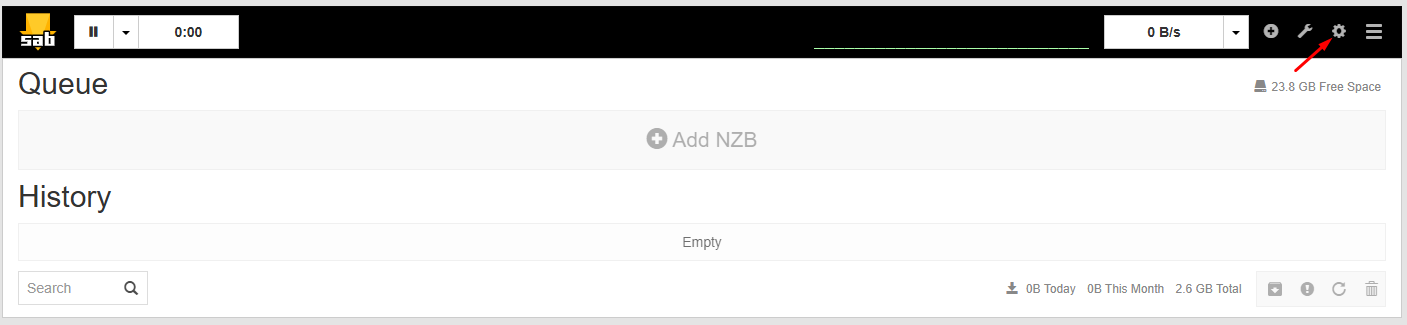
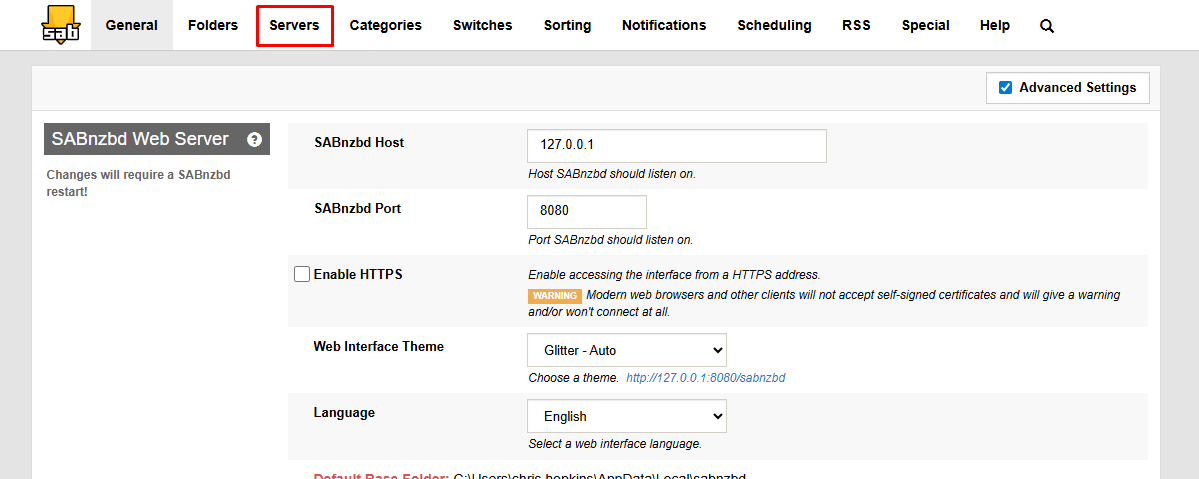
Access the SABnzbd Web interface. Click on Settings. Navigate to the Servers tab.
Step 2: Expand Server Options
Find your configured Tweaknews server in the list. Click Show Details next to the server entry. This reveals additional performance-related options.
Step 3: Set Articles per Request
Locate the Articles per request field. Enter a value to define how many articles SABnzbd should request in a single batch.
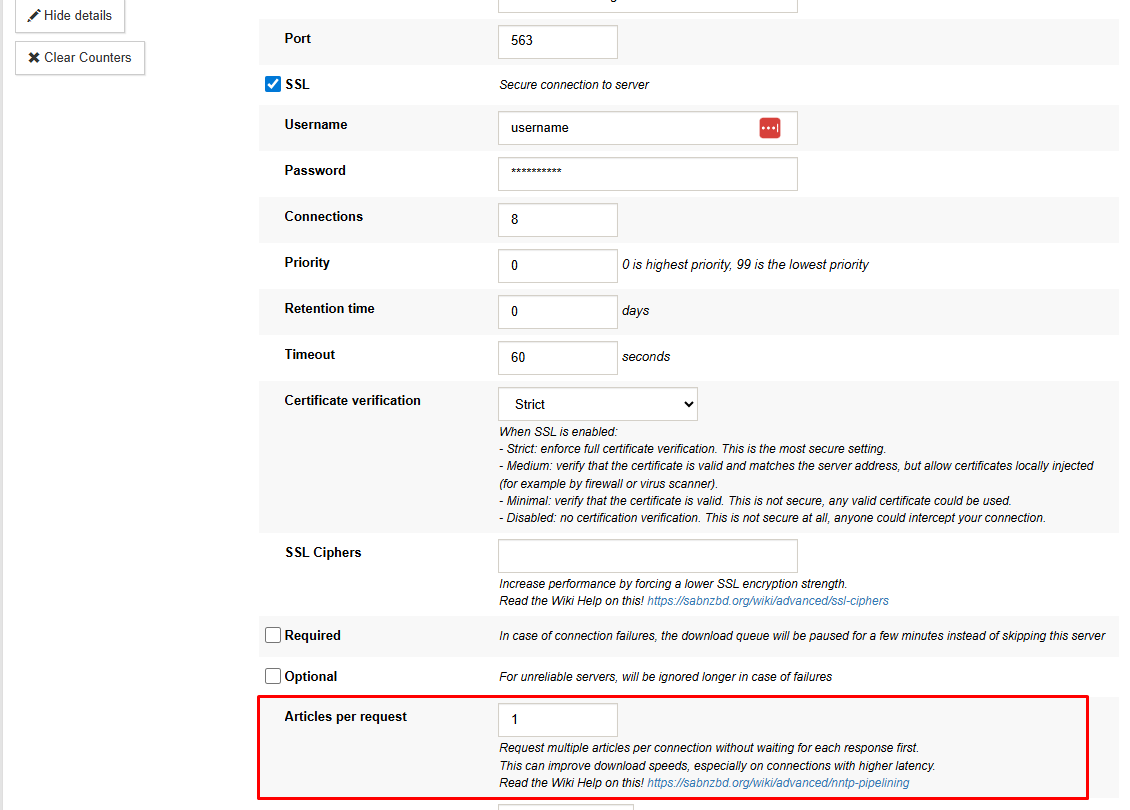
Start with a moderate value and adjust based on performance.
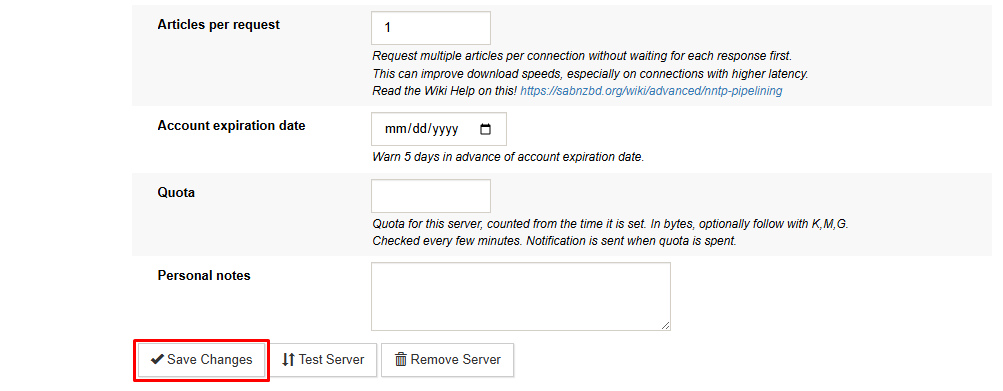
Click Save Changes to apply the update.
Choosing the Right Value
There is no single optimal number for every setup. The ideal value depends on your connection quality, latency, and system performance.
General guidance:
- Lower values may be more stable on slower systems
- Higher values can reduce wait time between requests
- Increasing the value too much may not improve performance further
Test different values and monitor your transfer rate to find the best balance.
When Pipelining Makes a Difference
NNTP pipelining can improve efficiency by keeping requests in flight instead of waiting for each response.
You are more likely to see gains when:
- Latency between your system and the server is higher
- You are running with fewer connections than your plan allows
If your connection is already reaching its maximum throughput, increasing the pipelining value may not lead to noticeable changes.
What This Setting Actually Changes
NNTP pipelining is a simple adjustment in SABnzbd that can improve how efficiently articles are requested from Tweaknews servers. While it does not increase your maximum bandwidth, it can help maintain steadier transfer rates in the right conditions.
Testing a few values and observing performance is the most reliable way to determine the best configuration for your setup

